This is Suchfeld
Find your moments.
For everyone who has lost track of what is on their Phone. And perfect for content creators and Phone photographers. With Suchfeld you find real moments, not #hashtags.

This is Suchfeld
For everyone who has lost track of what is on their Phone. And perfect for content creators and Phone photographers. With Suchfeld you find real moments, not #hashtags.
Suchfeld makes it visible
Suchfeld analyses your media and prepares the data that is already there so you can search it. No more tedious hunting: you describe what you are looking for, and you finally find it.
On your Phone 01 / 07
Your footage is full of information that the Photos app does not use for search. Suchfeld reads these clues and turns them into a precise search. The analysis runs entirely on your Phone and costs nothing.
Suchfeld recognises shot sizes from wide shot to detail, perspectives, light, colours, camera movements and much more.
Search 02 / 07
Thousands of clips on your Phone, and the one moment you need is missing? With Suchfeld you simply write what you are looking for, in your own words. No endless scrolling, no hashtags, no folder chaos. You describe, Suchfeld finds.
With one tap you jump from the result straight to the original clip in your library.
Take a closer look 03 / 07
Suchfeld does not just show you the right clip, it even finds the right spot inside it. Yellow dots on the timeline mark every further match.
Got a picture in mind? Search with a photo and add what should be different, for example “but at night”. And with one tap you find similar footage for any clip.
Suchfeld hides duplicates and leaves out screenshots. Clips from iCloud are fetched automatically on Wi-Fi.
Speed 04 / 07
Honestly: the analysis on your Phone takes time. With large libraries it can be several days. This lays the foundation that makes every future search easier. Your library becomes an archive you can search with a prompt in seconds.
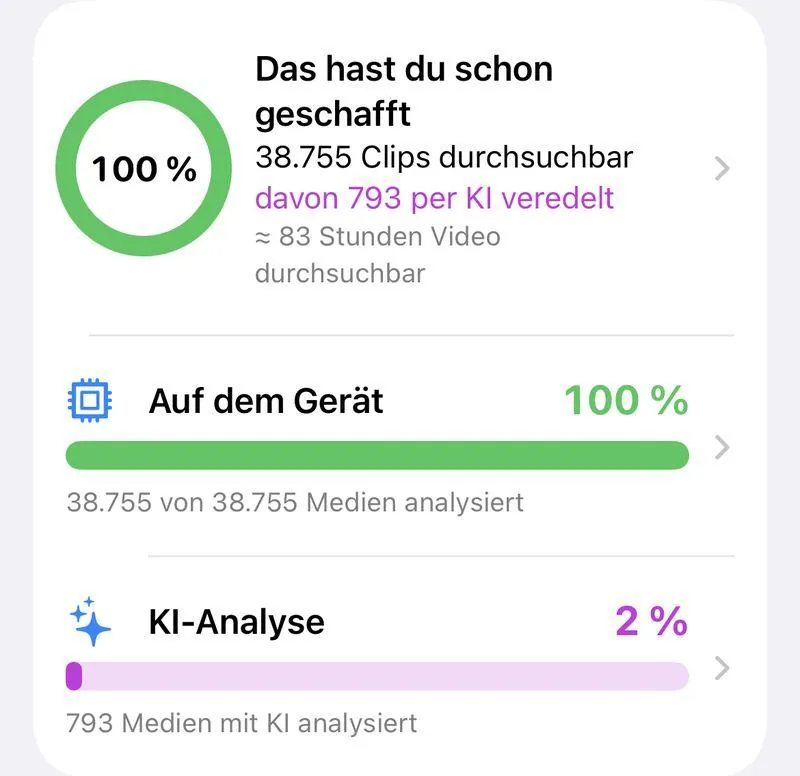
The more media is analysed, the better your results get. The ring in the app shows how far you are, and every percentage point improves your search. For more speed, plug your Phone in and leave the app open: that is how Suchfeld gets to know your clips fastest. If you switch to another app, Suchfeld can simply keep working if you want.*
Prioritise your shooting days. You decide what gets analysed first and exclude what should not be analysed. Pick whole albums or single items directly for the AI analysis and speed the process up even more.
* from iOS 26
Optional · for pros 05 / 07
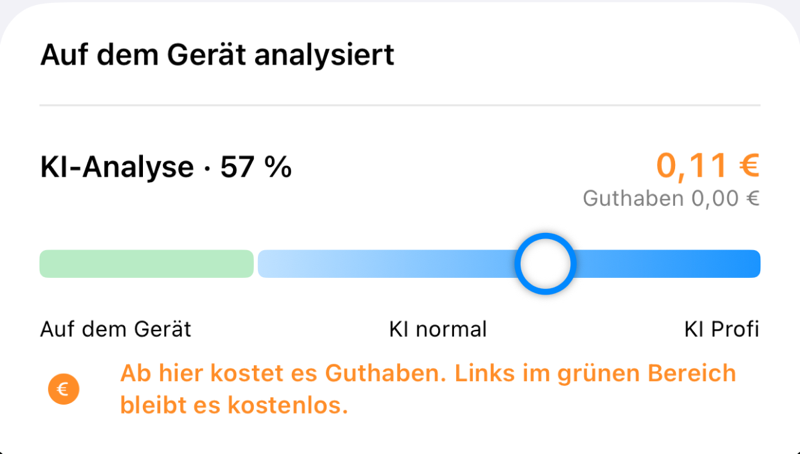
For long clips and special moments you bring in the AI. It recognises sequences of action, camera moves, moods, effects and details that the Phone alone cannot see.
You choose the media and the precision of the analysis yourself and see the cost beforehand. Only individual still frames are sent, and you are billed by actual clip length from your credit. For €1 you can analyse around 6 minutes of video, depending on the precision you choose. No subscription, no hidden costs, full transparency.
Order for pros 06 / 07
Being organised is half the battle, and that is exactly where Suchfeld helps. The app was built by professional editors for use on the Phone. We were tired of digging through the library all the time.
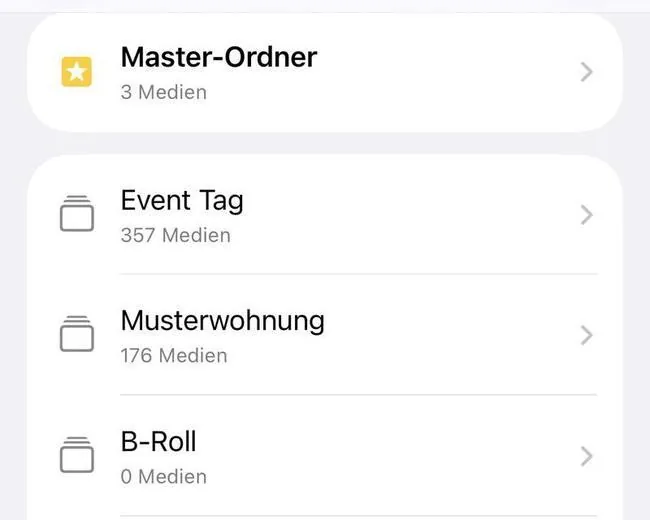
Suchfeld brings structure to your content. Set up a professional folder structure for every project, with albums and subfolders for shooting days, interviews or B-roll. Whole shooting days, external raw footage or your current search results are filed with a single tap.
Straight into your edit. The master folder of every project appears in the Photos app and therefore in your editing app too. The clip you were looking for is in your edit with a single tap.
Our promise
When it comes to privacy, we deliberately set our bar very high.
Gets to know you 07 / 07
Add your own description. Write down in your own words what matters to you about a clip. This improves your search results.
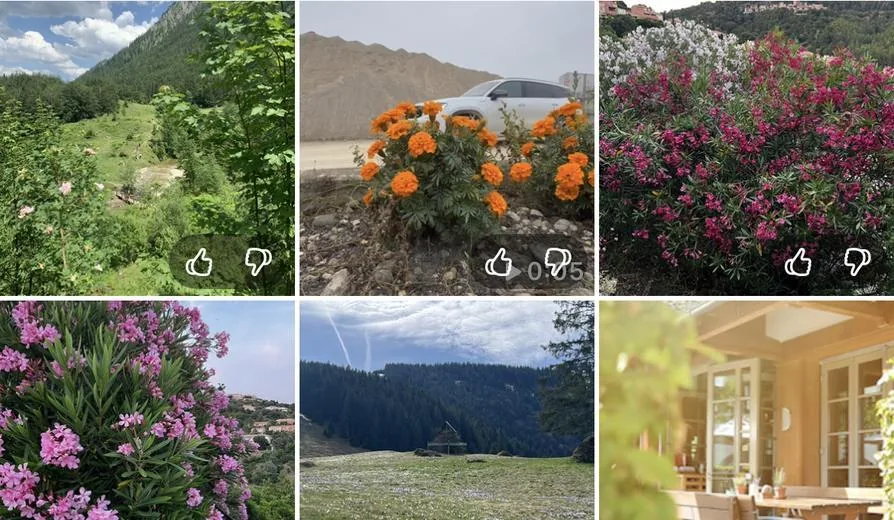
Your search keeps learning. Rate the results with 👍 or 👎. Suchfeld remembers your ratings and over time shows you more and more of what you are really looking for.
Your analysis is saved in your iCloud backup and survives a switch to a new Phone. Try Suchfeld free for 7 days, then unlock the app with a one-time purchase.
Questions
The download is free, and you can try all features for 7 days. After that you unlock the app once for €19.99, no subscription. The AI analysis is optional and uses credit that you buy in packs. You are billed by actual clip length: for €1 you can analyse around 6 minutes of video, depending on the precision you choose. With the smallest credit pack for €2.49, that is around 15 minutes. Prices are for Germany and may differ in other countries.
Suchfeld is a box of tricks. It works for private users as well as for content creators and professional editors who see their Phone as a production tool. Suchfeld is built so that your clips get into your editing app without detours.
Your footage never leaves your Phone unless you want it to. The analysis runs entirely on your device. Only if you request an AI analysis yourself are individual still frames of the selected clips transmitted. We deliberately do without face recognition and audio analysis because our standards for privacy are very high.
Yes, it appears in the Photos app. Just give your editing app access to “All Photos”.
On Wi-Fi the app first fetches the clips from iCloud; on the go it analyses the clips that are stored on the Phone.
Yes. It is included in your iCloud backup. In addition, you can create your own backup file in the account section, in iCloud Drive or on your computer.
Swipe across the clips with one finger to select several. Press and hold a tile to open the preview and menu. In full screen, swipe up and down for the next clip and sideways to close.
For clips of about 3 minutes or longer, the analysis on the Phone becomes too imprecise. That is where we recommend the AI analysis: it speeds up the analysis and makes your search noticeably more precise. Because the work is done elsewhere, you also save battery and performance on your Phone. Please note that individual still frames leave your Phone in the process.
Suchfeld runs on every iPhone with iOS 26 or later, that is iPhone 11 and newer and iPhone SE (2nd generation) and newer. The app cannot be installed on older devices. iPad, Mac and Vision Pro are not supported. The app needs access to your photo library. You only need an internet connection for the optional AI analysis.
Contact
Questions, ideas or need help? Write to us using the form or at info@suchfeld.app.